Inside the Workflow of an AI-Native Engineer
I have been writing software for over a decade. In that time, I have watched the tooling landscape shift more dramatically in the last three years than in the previous seven combined. Every team I talk to now has some version of “we use AI tools” in their engineering culture. What most of them actually mean is: their engineers have Copilot installed and occasionally accept a suggestion. That is not the same thing as being AI-native. The gap between those two things is where most of the shipping speed actually lives.
I want to explain the framework I use, not the specific tools, because those will change. But the underlying reasoning for when you reach for what and why getting that wrong costs you more than it saves.
Understanding what AI tools are actually built for
The single most important thing I learned, and it took embarrassingly long, is that AI coding tools are not interchangeable. They are built on different architectures, optimized for different tasks, and perform in ways that have concrete technical explanations.
At a high level, the tools most engineers work with fall into three categories based on what they are actually doing under the hood:
Type 1
Inline completion tools
Predict the next tokens in your editor based on immediate local context: open files, cursor position, recent edits. Fast, low latency, no conversation. Best when the pattern is clear and the code around it is dense. They do not reason; they complete.
Type 2
Context-aware editor agents
Maintain a working model of your codebase: file references, imports, types, and recent changes. Can handle multi-file edits, understand rename and refactor semantics, and produce diffs you can review. The intelligence is in the codebase model, not just the next token.
Type 3
Long-context reasoning models
Large context windows, strong at ambiguity and multi-step thinking. Not optimized for low-latency completion. They are optimised for conversations where the problem is not yet fully specified. Trade speed for reasoning depth.
Most AI-assisted engineers treat all three as equivalent. They use whatever is open. That is the mistake. The type of cognitive task you are doing at a given moment determines which category of tool is the right fit, and using the wrong one does not just give you worse output, it actively disrupts the flow of thinking. Using a token-completion tool during architectural planning is like using autocomplete to write a design document. The tool is not broken. It was never built for that job.
How the task changes across a development day
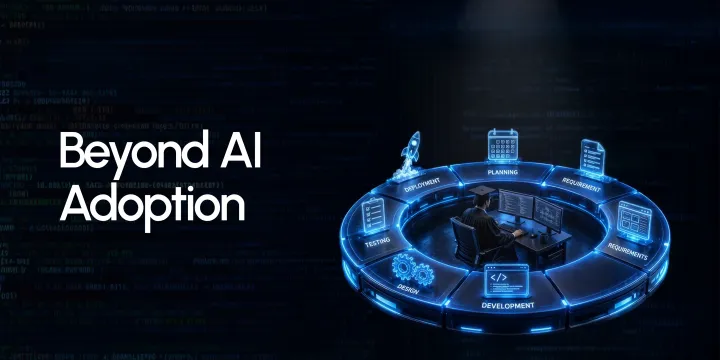
A single feature does not stay in the same cognitive mode all day. The work moves through distinct phases, and each one rewards a different kind of tool:
Planning
The problem is still ambiguous. You are forming your mental model of what needs to be built, where it touches existing systems, and what the risks are. This requires a tool that can hold a long, evolving conversation and surface trade-offs. Completion tools are useless here; there is nothing to complete yet.
Writing
The task splits further. Novel logic that requires real design decisions benefits from a reasoning model that can push back. Structural, pattern-heavy code: serializers, handlers, migrations, benefits from fast inline completion. Mixing these up wastes time in both directions.
Reviewing
You need something that reads your diff the way a fresh pair of eyes would, not with your mental model already loaded. A good reviewer looks for unhandled paths, missing null checks, silent failures. The tool needs to reason over code, not complete it.
Testing
The question is not “write tests for this.” The question is “what input combinations break this contract, and which ones am I not thinking about?” That is a reasoning task, not a completion task. The scaffolding that follows is a completion task.
Debugging
Pasting an error message and asking for a fix returns generic answers most of the time. The right pattern is: form a hypothesis, then use the tool to stress-test it against the specific code and call stack. That interaction requires a model that can reason, not one that predicts.
55% of developers using AI coding tools report completing tasks significantly faster; with gains concentrated in repetitive code, documentation, and test scaffolding, not in architectural or debugging work.
The tools experienced engineers do not use, and the reason is technical
Every AI tool has a failure mode that only becomes obvious with prolonged use. Inline completion tools are confidently wrong at domain boundaries; they will complete a function in a way that looks right syntactically but violates a constraint that only exists in a different file. Context-aware agents can produce stale suggestions if their codebase index has drifted. Long-context models can hallucinate API signatures for libraries they have seen rarely in training.
An experienced engineer knows these failure modes intimately. They do not avoid the tools; they work around the failure modes deliberately.
Where engineers get burned
Security-sensitive code paths. Anything touching auth, cryptography, or data access control. AI tools generate plausible-looking code in these areas that is subtly wrong in ways that do not surface in tests. This is not a criticism of the tools; it is a property of how probabilistic models handle low-frequency, high-stakes patterns. The rule is: human review only in these areas, always.
How experience changes the interaction
There is a meaningful difference in how junior and senior engineers interact with these tools, and it shows up most clearly during debugging and design. A junior engineer asks the tool for the answer. A senior engineer uses the tool to interrogate a hypothesis they already have.
The senior interaction sounds like: “I believe the issue is a race condition between the connection pool initialization and the first query. Here is the relevant code and the sequence of calls. Is this consistent with the failure signature I am seeing?” That question gets a precise, useful answer. The junior version: “this is throwing a null pointer exception, what is wrong?”, gets a list of generic possibilities that wastes ten minutes of reading.
The same pattern holds during planning. A junior engineer asks: “how should I design this service?” A senior engineer asks: "I am considering two approaches; here are the trade-offs I see with each, and here are the constraints I am working within. What am I not accounting for?” The specificity of the question directly determines the quality of the output.
What a CTO should actually be evaluating
The tell is not which tools an engineer has installed. It is whether they can explain the failure modes of each one. Ask them what the tool got wrong last week. If they cannot answer that, they are not using it deeply enough to have found its ceiling yet.
A practical self-assessment for any engineering team:
Can every engineer articulate which category of tool fits which stage of development, and why?
Are pull requests arriving cleaner than they were six months ago, or just faster?
Is the ratio of bugs caught before production improving, or is velocity masking quality decay?
Do engineers have documented opinions about where their tools fail?
Is anyone on the team deliberately not using AI at specific points in the cycle, and can they explain why?
That last point is the most revealing. AI-native engineers have a list of things they do not outsource to a model, and that list is specific and reasoned. Engineers who use AI for everything are not AI-native, they are AI-dependent, which is a different and more fragile thing.
One last thing
The engineers at TeamScaler think this way by default. When one joins your team, the first thing they do is understand your codebase, your deployment constraints, and the maturity of your existing tooling, before touching anything. They do not impose a workflow. They observe, adapt, and then contribute. That process of fitting in before pulling weight is not a soft skill. It is an engineering discipline, and it is what makes the difference between an addition to the team and an extension of it. Want engineers like this in your team? Talk to TeamScaler.